

The process of opening a new position often requires multiple levels of approval and coordination between department managers and HR. Without a dedicated tool, this can involve manual forms, email chains, and disconnected data entry. The Process Manager, part of the Foci platform, enables a streamlined Manager Self Service (MSS) workflow that automates the generation of requisitions and positions directly within SAP SuccessFactors.
The Challenge of Manual Vacancy Management
When managers need to hire, they often face complex internal procedures to justify a new head or replacement. If these approval loops occur outside of the core HR system, the resulting data must be manually entered into SAP SuccessFactors to create the requisition. This manual gap creates delays in recruitment and increases the risk of data misalignment between the approved budget and the live job posting.
The Solution: Integrated Manager Self Service
The Process Manager acts as an extension that allows managers to initiate job requisitions through a structured, digital interface. The tool manages the complexity of the approval process and automatically synchronizes the final result with the existing SAP infrastructure.
Step 1: Process Initiation and Request Type
The manager accesses the Process Manager and selects the Job Requisition workflow. The first decision is to define the nature of the request: a new position or a replacement for an existing position.
Step 2: Defining Contractual Details
The manager provides the essential parameters for the vacancy, such as the intended start date and whether the role is a fixed term contract or a full time permanent position. This ensures the request is categorized correctly from the very beginning.

Step 3: Position Cloning and Data Integration
To ensure accuracy and save time, the manager selects an existing position to use as a template. The list of positions is automatically imported in real time from SAP SuccessFactors. By selecting a reference position, the system can copy relevant foundation data, ensuring the new requisition aligns with the current organizational structure.
Step 4: Finalizing Position Specifics
After selecting the template, the manager enters specific details for the new vacancy, such as a new position name or specific department codes. Once the form is complete, it is submitted into the automated workflow.
Step 5: HR Review and Data Enrichment
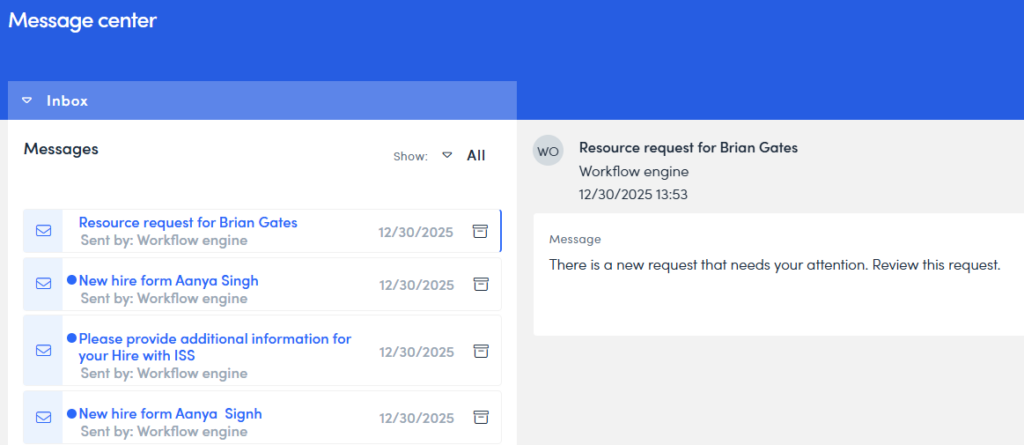
HR receives a notification that a new request has been submitted. During this step, HR reviews the information provided by the manager. Unlike a standard view only role, HR has the ability to add or enrich the data with technical details required for the recruitment module. HR can then approve the request, decline it, or send it back to the manager for clarification.
Step 6: Automated Upsert to SAP SuccessFactors
Upon final HR approval, the Process Manager automatically creates the new position and job requisition within SAP SuccessFactors. All data is upserted directly into the Recruitment and Employee Central modules, making the vacancy live and ready for the hiring process without any further manual input.